Tool Holders
SKADIS Magnetic Tool Holder
SKU 3DPW-pr-282536
$200.00NZD
In stock · Made-to-order resin · Ships from Auckland · Free shipping over $75
- Material
- PLA (filament)
- Colour
- Grey
- Weight
- ~40 g
- Print time
- ~4.5 h
- Shipping
- $10 std · $20 express
- Lead time
- 1-3 d print + 1-4 d ship
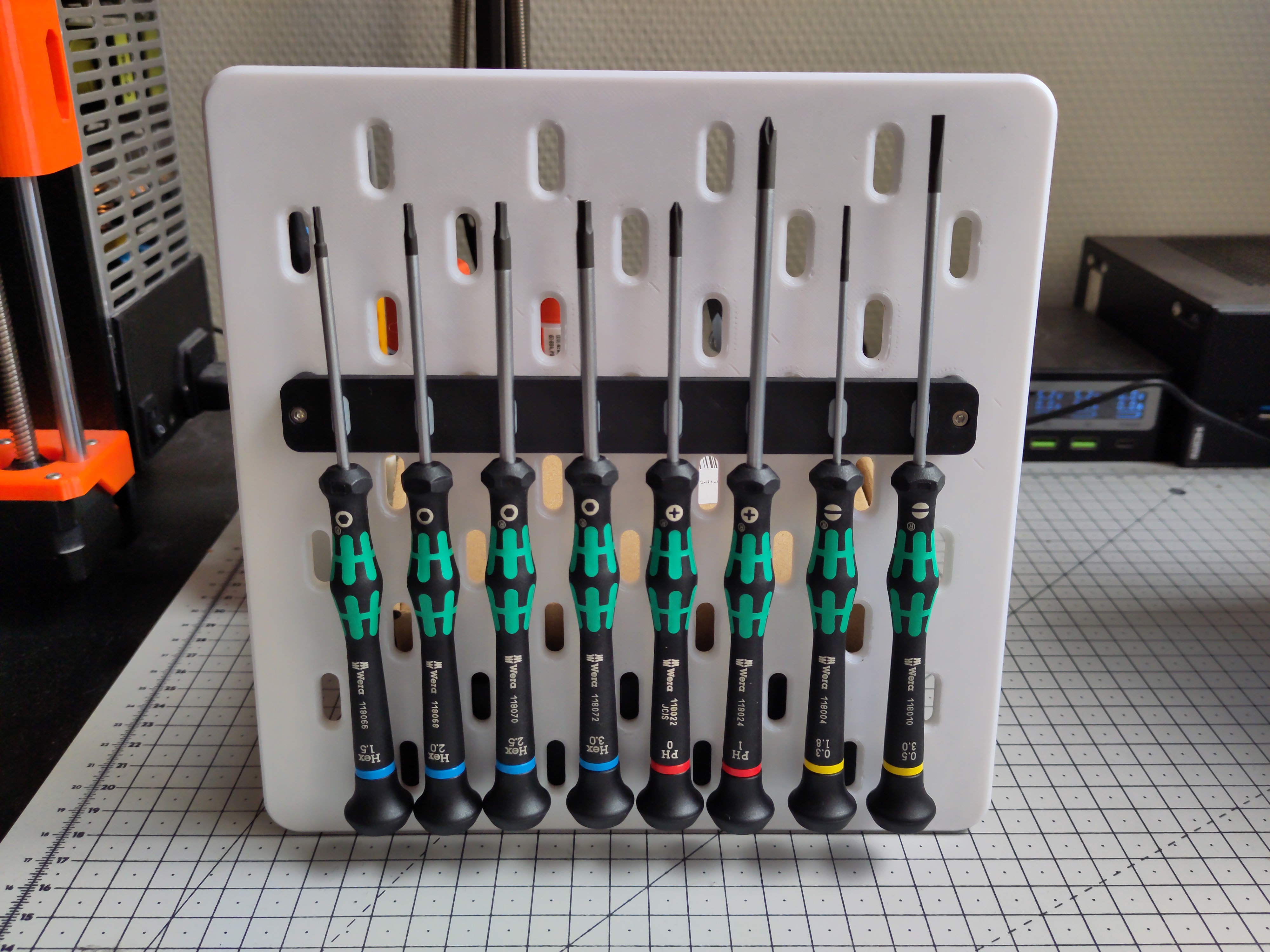
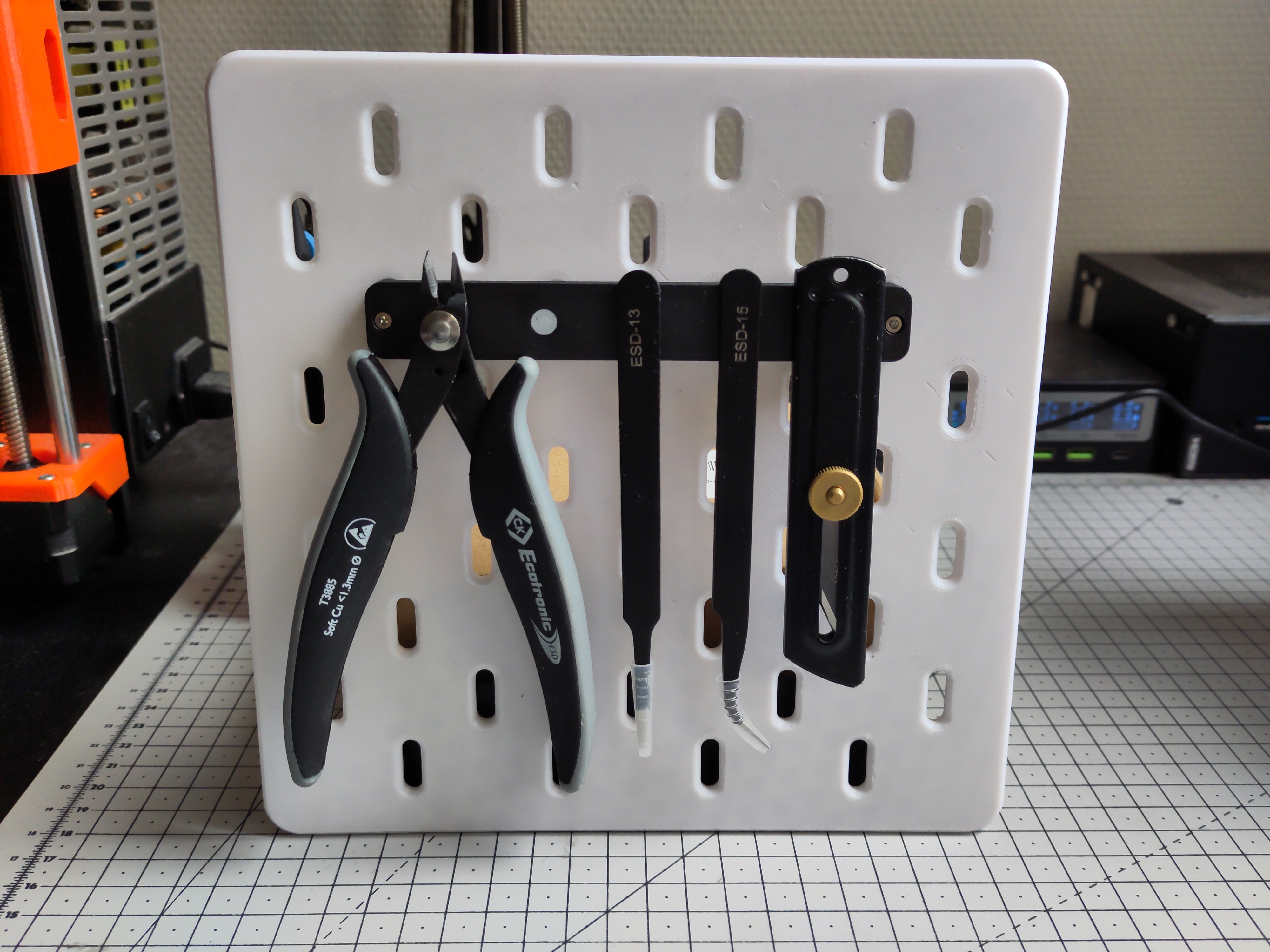
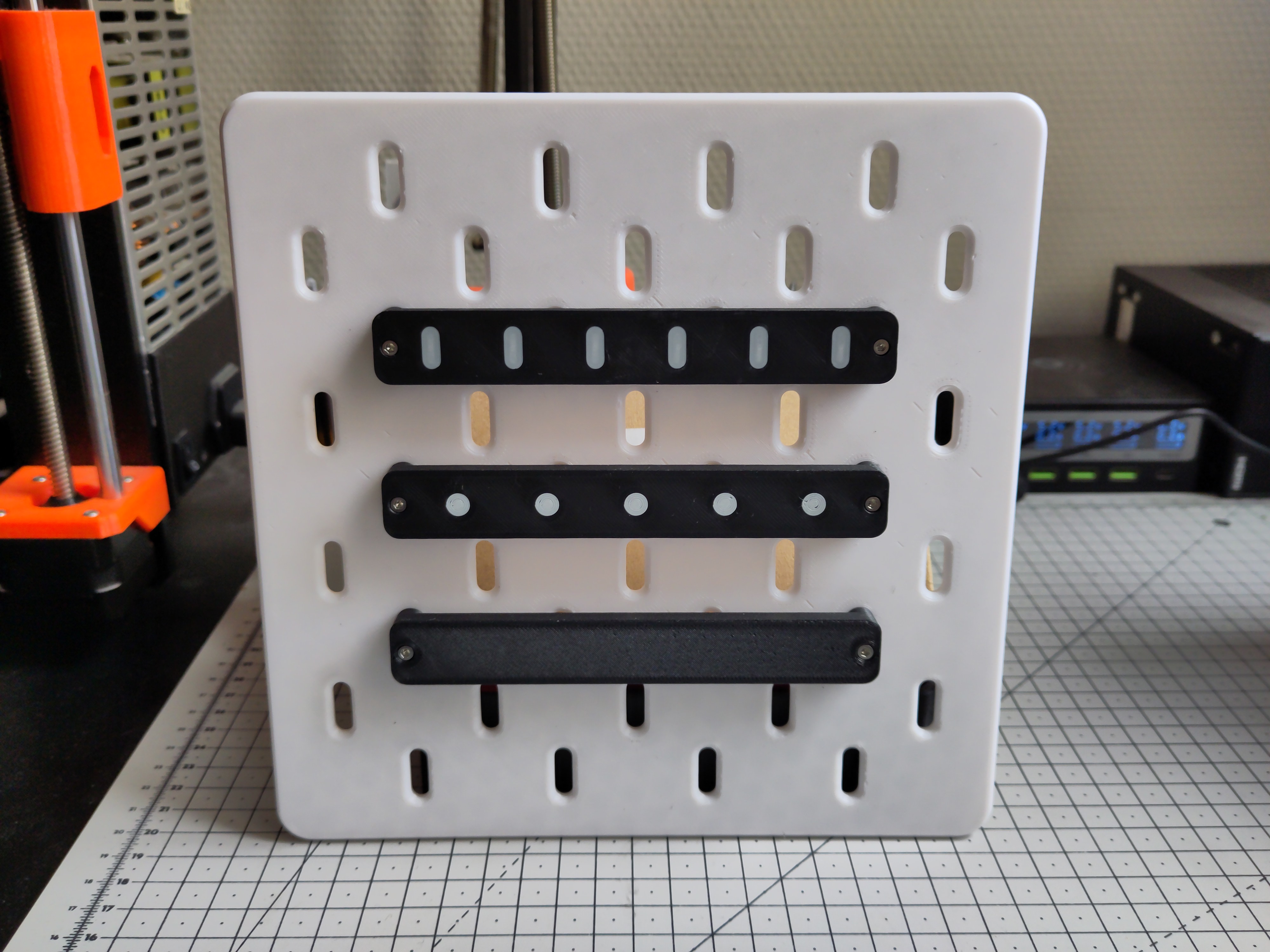
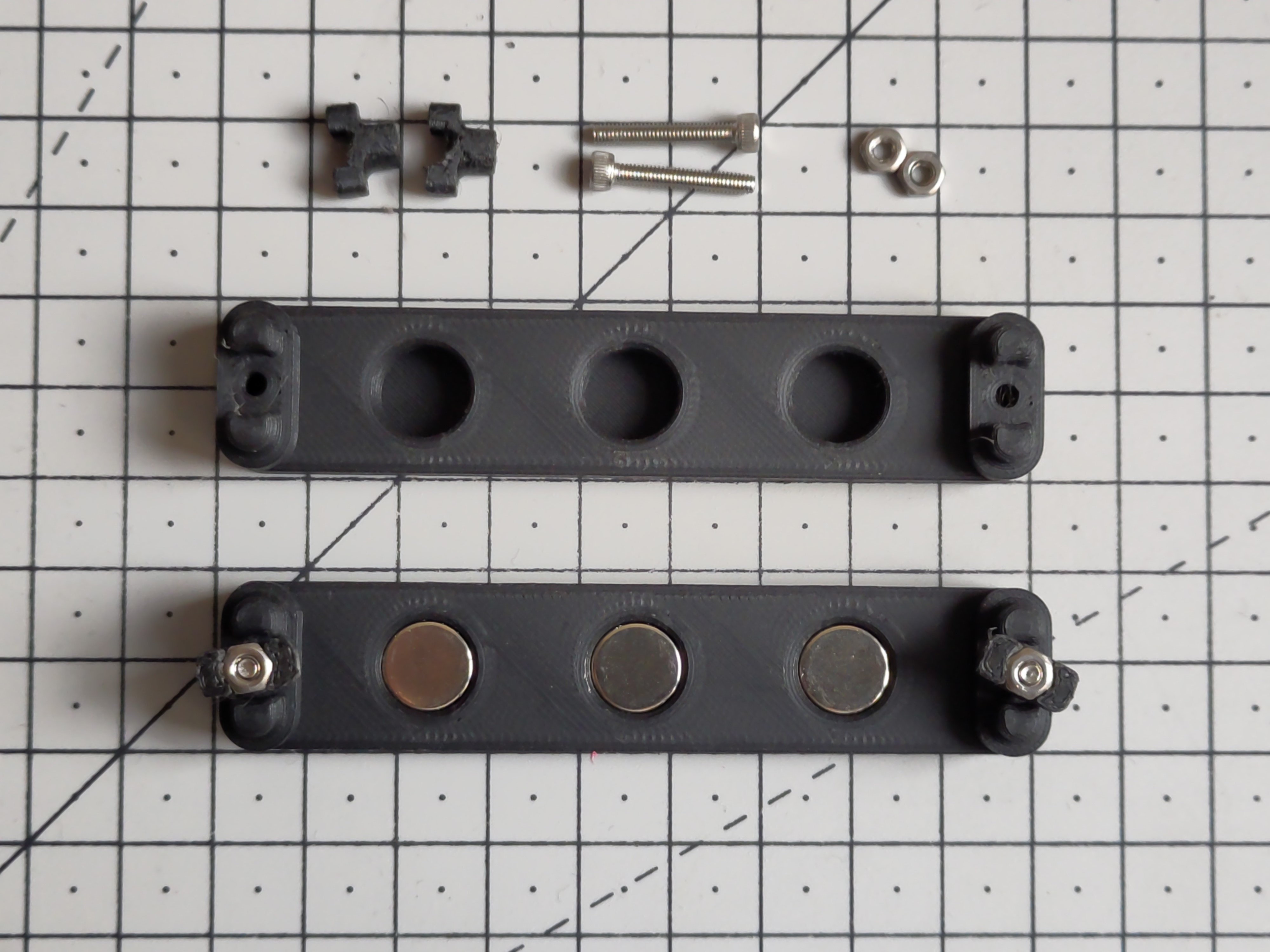
A parametric magnetic tool holder for the IKEA SKADIS pegboard system allowing you to attach screwdrivers and other tools magnetically to your pegboard. The included Fusion 360 parametric source file allows you to create an infinite set of the tool holder using any size of cylindrical magnet and will calculate the proper size for the module by itself (to ensure it is always aligned with the SKADIS hole spacing). See the Create your own section for more information about building a custom model. This project uses the the T-Nut mounting system created by @6d6178 to attach to the pegboard itself and uses BV3D's method to print indicators on the first layer in a different color without requiring the use of a multi material system. I have included a set of already exported models if you just want to print this project without customizing it, see the Available models section down below for a description of each available models (as which parameters were used to create them). Printing & AssemblyIn order to build a complete module you will need the following things: 1× Magnetic tool holder body (any variant from this project)2× Printed M2.5 T-Nuts (found here)2× M2.5 DIN934 Hex nuts2× M2.5 × 16mm or M2.5 × 18mm screwsThe size and amount of magnets needed for the body style selectedOnce you have selected which module you want to print (see the Available models section for a preview of all available size & variant), you will need to print the model front-face down with the locating prong upward (opposite to how the STL are exported) using the following recommended print settings: Layer Height: 0.2mmInfill: 20 to 40%Raft / Supports / Brim: noSeam position: Aligned (recommended)If you decide to print the With indicators variant of a model, you will need to follow BV3D's method to print the *-insert.stl file first on your build plate (make sure to set you Elephant foot compensation to zero for this step), then remove any purge line / skirt before printing the body model. To assemble your model, you will just need to press-fit your magnets into the back-side of the module then insert your M2.5 screws from the front and attach your T-Nuts from the back. You should then be able to just slot the module in your SKADIS board and tighten the screws from the front to attach them permanently. Available modelsExported models are available for two different types of configuration: Screwdriver holders: uses 2 rows of 5 mm × 5 mm magnets (using 2 rows allows screwdriver to stay aligned)Tool holders: uses a single row of 10 mm x 5 mm magnets (using a bigger magnet allows the use of stronger magnet to attach heavier tools)Each model are also available in two variants: With indicators: that should be printed in another color to show where the magnet are from the front of the moduleBlank: a version with no indicator (easier to print as you do not need to print “two first layers” on top of each otherScrewdrivers holdersskadis-screwdriver-2x2Number of slots: 2 Required magnets: 4 Size: 48 × 18 mm (1 space) Files (with indicators): - skadis-screwdriver-2x2.stl - skadis-screwdriver-2x2-insert.stl Files (blank variant): - skadis-screwdriver-2x2-blank.stl skadis-screwdriver-4x2Number of slots: 4 Required magnets: 8 Size: 88 × 18 mm (2 spaces) Files (with indicators): - skadis-screwdriver-4x2.stl - skadis-screwdriver-4x2-insert.stl Files (blank variant): - skadis-screwdriver-4x2-blank.stl skadis-screwdriver-6x2Number of slots: 6 Required magnets: 12 Size: 128 × 18 mm (3 spaces) Files (with indicators): - skadis-screwdriver-6x2.stl - skadis-screwdriver-6x2-insert.stl Files (blank variant): - skadis-screwdriver-6x2-blank.stl skadis-screwdriver-8x2Number of slots: 8 Required magnets: 16 Size: 168 × 18 mm (4 spaces) Files (with indicators): - skadis-screwdriver-8x2.stl - skadis-screwdriver-8x2-insert.stl Files (blank variant): - skadis-screwdriver-8x2-blank.stl With the exception of MagnetColCount (set to the number of slots) all parameters are set to the following values for all previous models: ParameterValueParameterValueModuleHeight18 mmMagnetColSpacing20 mmModuleThickness10 mmMagnetRowCount2MagnetDiamaeter5 mmMagnetRowSpacing8 mmMagnetThickness5 mmSlotWidth4 mmMagnetTolerance0.2 mmSlotHeight10 mmTool holdersskadis-tool-1x1Number of slots: 1 Required magnets: 1 Size: 48 × 18 mm (1 space) Files (with indicators): - skadis-tool-1x1.stl - skadis-tool-1x1-insert.stl Files (blank variant): - skadis-tool-1x1-blank.stl skadis-tool-3x1Number of slots: 3 Required magnets: 3 Size: 88 × 18 mm (2 spaces) Files (with indicators): - skadis-tool-3x1.stl - skadis-tool-3x1-insert.stl Files (blank variant): - skadis-tool-3x1-blank.stl skadis-tool-5x1Number of slots: 5 Required magnets: 5 Size: 128 × 18 mm (3 spaces) Files (with indicators): - skadis-tool-5x1.stl - skadis-tool-5x1-insert.stl Files (blank variant): - skadis-tool-5x1-blank.stl skadis-tool-7x1Number of slots: 7 Required magnets: 7 Size: 168 × 18 mm (4 spaces) Files (with indicators): - skadis-tool-7x1.stl - skadis-tool-7x1-insert.stl Files (blank variant): - skadis-tool-7x1-blank.stl With the exception of MagnetColCount (set to the number of slots) all parameters are set to the following values for all previous models: ParameterValueParameterValueModuleHeight18 mmMagnetColSpacing22.5 mmModuleThickness10 mmMagnetRowCount1MagnetDiamaeter10 mmMagnetRowSpacing0 mmMagnetThickness5 mmSlotWidth6 mmMagnetTolerance0.2 mmSlotHeight6 mmCreate your ownIf you wish to create your own module for other sizes of magnet or with a different spacing, the included Autodesk Fusion 360 source file (skadis-magnetic-toolholder.f3d) comes with a set of parameters allowing you to configure it to your need. Here is the full list of available parameters with their descriptions: The model should adapt itself in length and height based on the parameter given to make sure it will always fit in the standard SKADIS spacing. If you need some inspiration, checkout the Available models section to see which parameters have been used to generate them. ChangelogV1.0 (2022-09-25): Initial releaseV1.0 (2022-09-28): Updated description
Tags: parametric, magnet, magnetic, toolholder, toolstorage, skadis, resin print, nz made, made to order
Design credit: Original design by orax - licensed under CC-BY-SA.
View original model + STL files on Printables ↗
View original model + STL files on Printables ↗
Frequently asked
How long does shipping take?
SKADIS Magnetic Tool Holder is printed to order. Lead time is typically 1-3 business days plus 1-4 days NZ shipping. Standard NZ shipping is $10, free over $75.
What material is this printed in?
By default this is printed in PLA (filament) at 0.025 mm layer height on an MSLA resin printer. Custom material and colour swaps are available, just leave a note at checkout.
Can I get this in a different colour?
Yes. Every product can be printed in any of the resin colours we stock, or hand-painted on request. Leave a note at checkout or email [email protected].
Do you ship outside of New Zealand?
Currently New Zealand only. Australian shipping is coming.
Who designed this?
Designed by an independent sculptor and licensed for commercial printing. The original is linked on this page.